
Read a conversation, not a wall of text.
Follow the exchange in speaker-labelled turns. Understand who asked the question and who gave the answer before judging what happened.
Recording & transcription
A phone recording. A video call. A discussion around one microphone. Turn recorded speech into detailed, speaker-labelled dialogue that your team can read, review, and put to use.
Bring the recording you already have.
One connected record of what was said, who said it, and when.
Audio or video. Online or in person.
Most recordings arrive as a single mix of everyone’s voices. Insight separates the speakers directly from that audio, then organises their words into timestamped turns.
This is known as blind diarisation: the system can distinguish voices without knowing the speakers in advance. You can attach people’s names to the detected speakers afterwards.
Upload supported audio or video files from a call, a meeting room, an interview, or a presentation. Insight works from the speech in the recording.
The same approach supports ordinary mixed recordings, including conversations recorded in person.
Follow a real recording
In this Apollo 11 recording, the interviewer and three astronauts share the same audio. Insight separates their speaking turns and places the transcript beside the recording.
Read one speaker’s answer, see when another person takes over, and use the timestamps to return to the source. The recording becomes something you can work with, instead of something you have to listen through from the beginning.
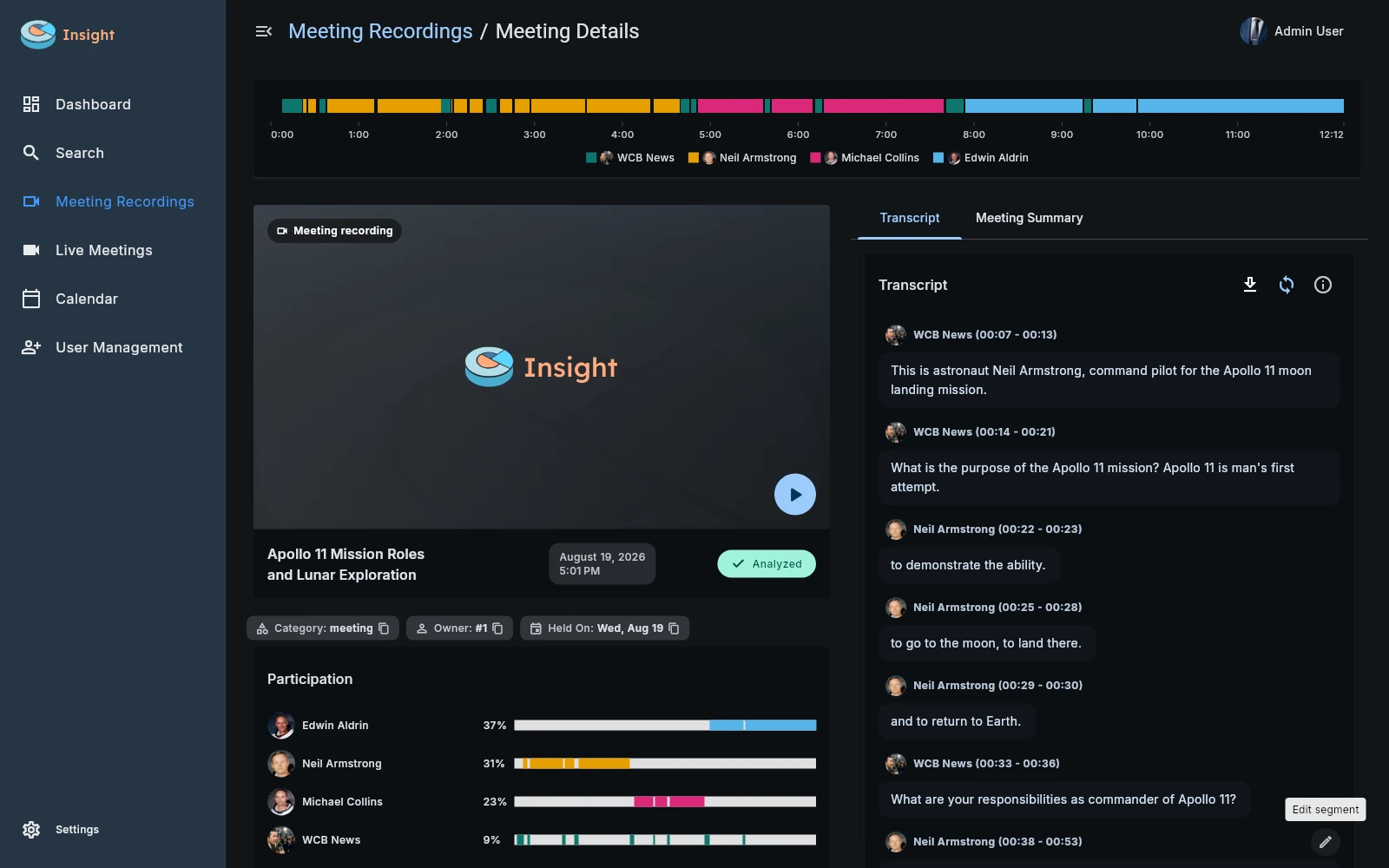
The coloured timeline and participation view show how the conversation moves between speakers.
Speaker-labelled turns preserve the questions and responses around each statement. Names can be assigned to the detected voices.
Keep playback and timestamps beside the text when a detail matters to your review.
Detail that stays useful
Readable dialogue is the foundation for a useful evaluation. Insight keeps the speaker, timing, and original recording connected to the words.
Follow the exchange in speaker-labelled turns. Understand who asked the question and who gave the answer before judging what happened.
Edit recognised text and speaker assignments when a correction is needed. Re-run the evaluation from the updated transcript so later results use the corrected source.
Export a transcript to PDF using your company’s template, evaluate it against your standards, or find its contents later through knowledge search.
Before, during, and after the call
Insight can also host and record online meetings through a connected third-party meeting provider. Schedule a conversation, invite people, and join through the platform. The completed recording then feeds into the same transcription and evaluation workflow as an uploaded file.
The calendar connects that workflow to your day. Personal, team, and company calendars keep events and invitations together, so a planned conversation can become a recorded, reviewable part of your company’s knowledge.
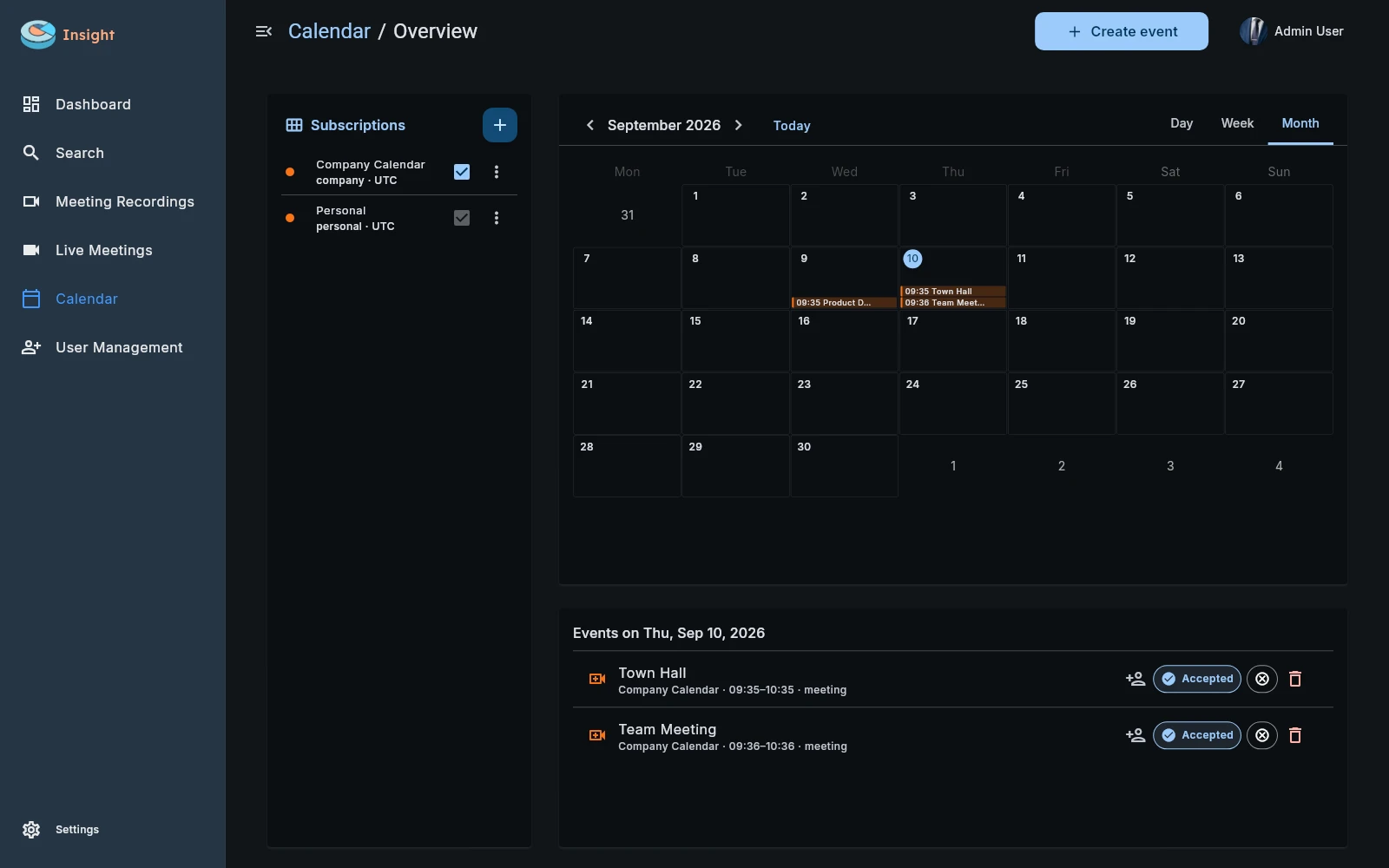
Schedule an event, invite internal users and external contacts, and keep the meeting details together.
Use the configured third-party meeting and recording services through Insight.
Completed recordings become transcripts, evaluations, and searchable meeting knowledge.
The next question is quality
A clear transcript gives your team the source material to assess discovery, approved messages, meaningful responses, and follow-up. Your company’s instructions define what matters, from useful follow-up notes to a detailed quality assessment.
Explore conversation analysis